

Creating a Payout
Log in to the Tazapay Dashboard and click Payouts in the left navigation panel, then click Create Payout at the top right of the page.1
Choose who the payout is for
Answer Create Payout on Behalf of another Entity?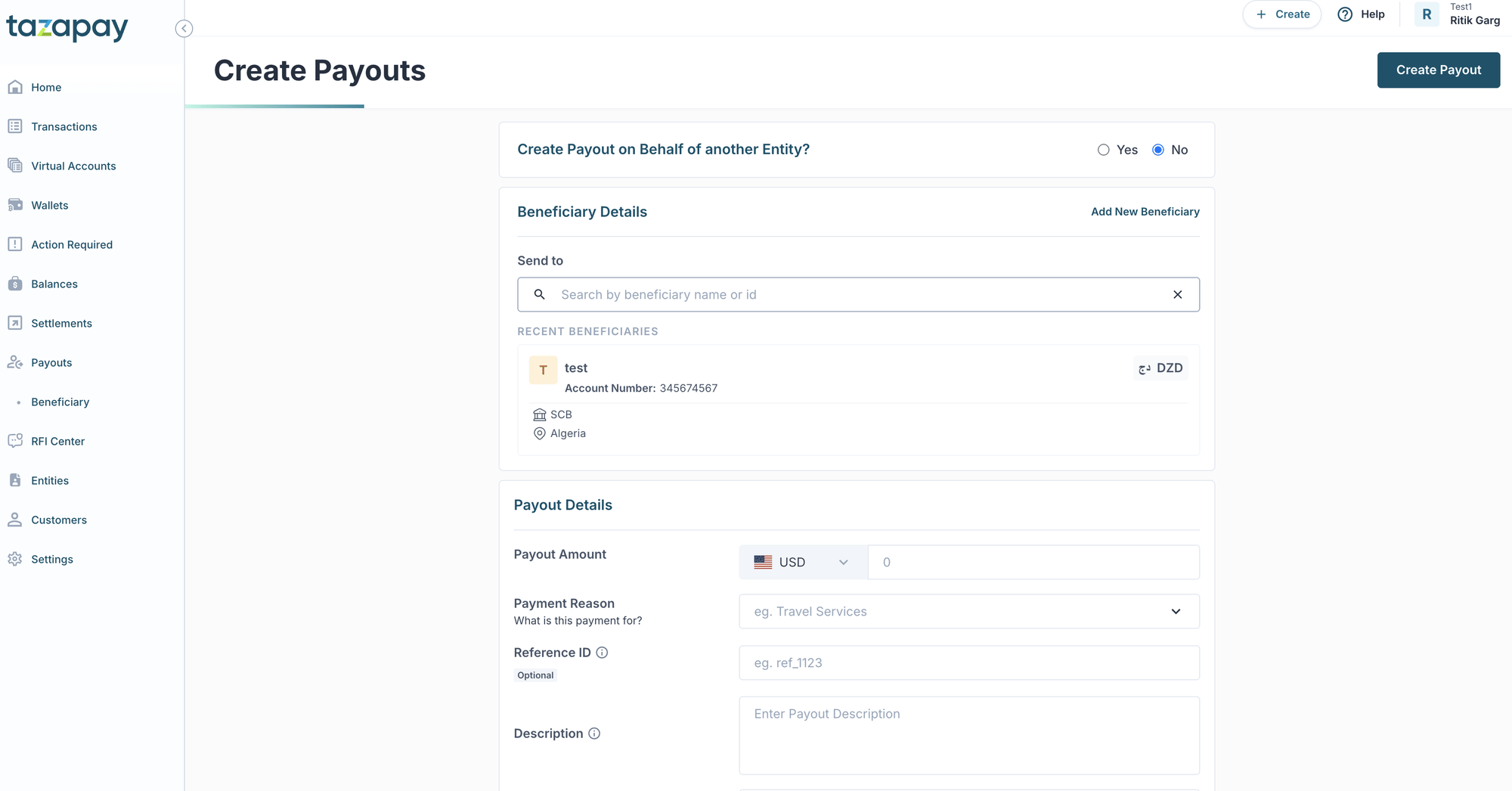
- Select No to create the payout for your own account.
- Select Yes if you are initiating the payout for a connected customer entity. See Payouts on Behalf Of for how entities and payouts relate. You’ll then need to pick the entity the payout is being made for.
2
Select or add a beneficiary
Under Beneficiary Details, search by beneficiary name or ID under Send to, or pick one from Recent Beneficiaries. Each entry shows the beneficiary’s bank, account number, country, and currency.To pay someone new, click Add New Beneficiary and fill in: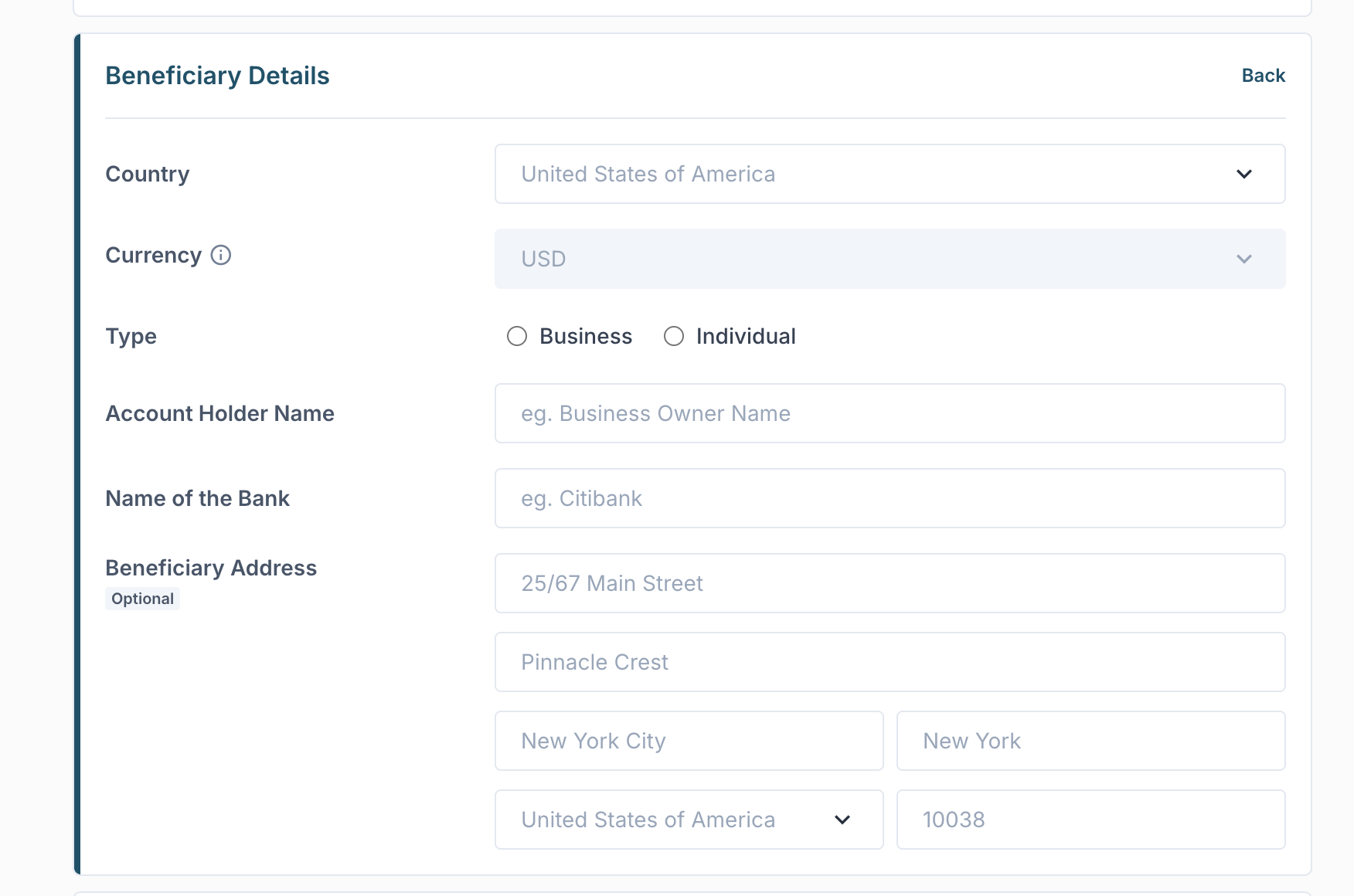
beneficiary_details object in Creating a Payout via API for the full set of supported fields.3
Fill in the payout details
Under Payout Details, enter: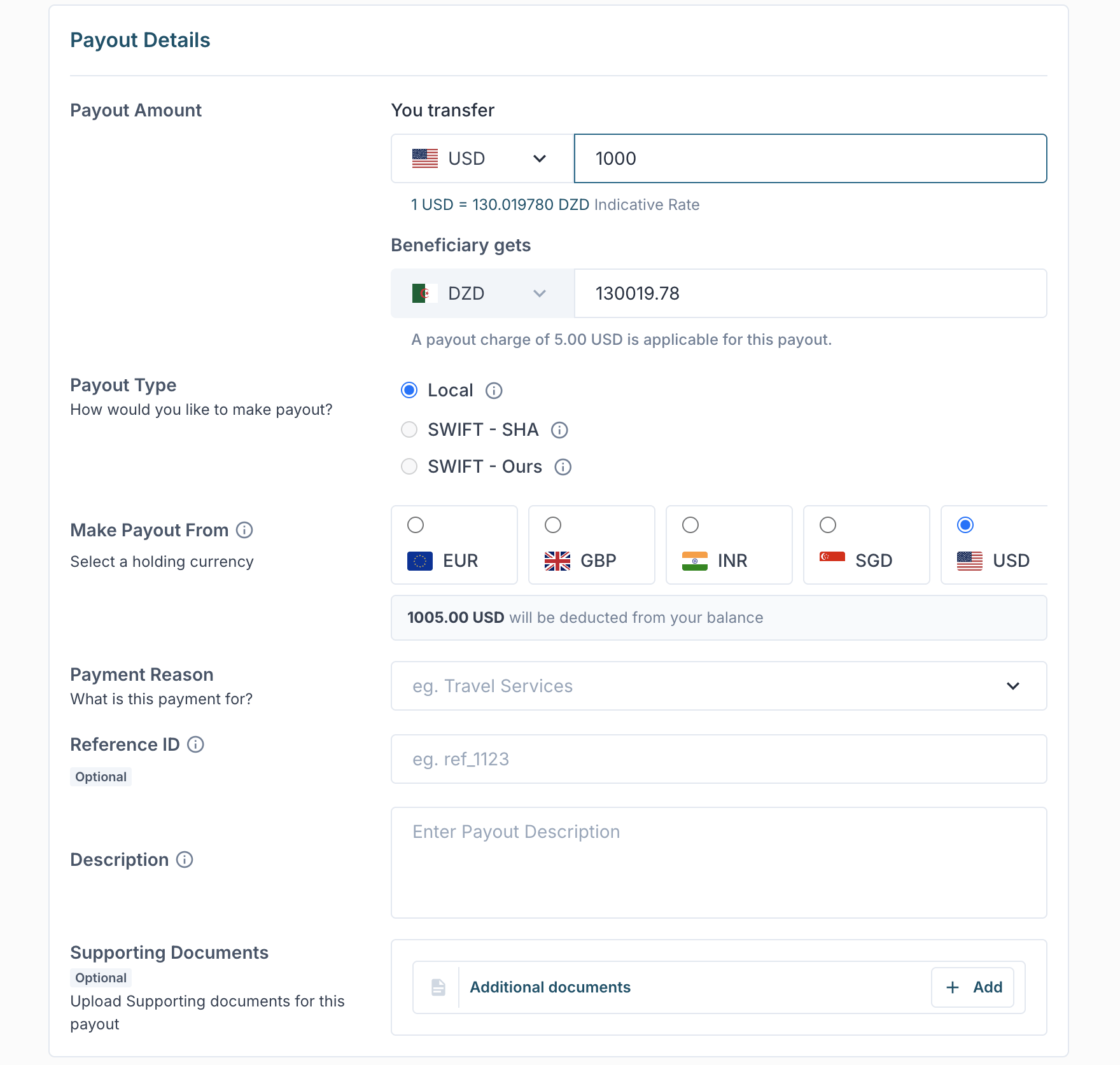
Any applicable payout charge and the total that will be deducted from your balance are displayed before you submit.
4
Review and submit
Review the beneficiary and payout details, then click Create Payout. On success, the dashboard shows the payout amount, Payout ID, date, payment reason, and beneficiary — confirming the payout has been created.
Other Ways to Create a Payout
Create via API
Programmatically create payouts using the Tazapay API.
Simulate on Sandbox
Test payout flows in the sandbox environment before going live.