
High-level Flow
- Create an Entity (Individual or Business)
- Create a Beneficiary
- Create a Payout using the Entity + Beneficiary
- Handle Payout Events / Webhooks
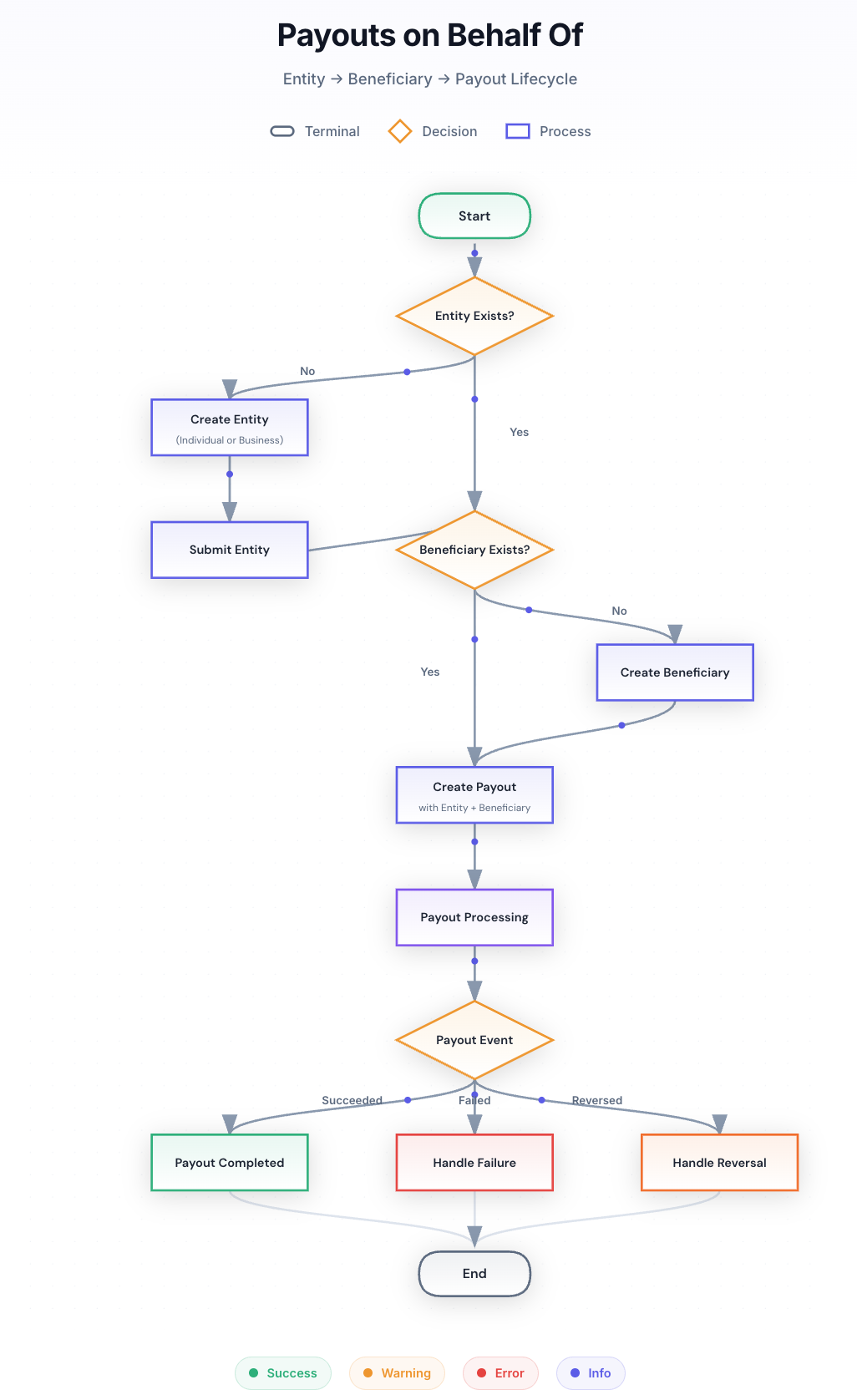
Step 1: Create an Entity (Individual or Business)
An Entity represents a platform’s or fintech’s customer — the party on whose behalf the payout is being made. Every payout must be associated with an entity. Tazapay supports two entity types:- Business Entity – for registered companies
- Individual Entity – for individual customers (e.g., freelancers, creators, sole proprietors)
Relevant Links
- Business Entity Requirements - Full Onboarding
- Individual Entity Requirements - Full Onboarding
- Entity Requirements - Simplified Onboarding
- Create Entity API
- Submit Entity API
Step 2: Create a Beneficiary
A Beneficiary represents the recipient of funds. This can be:- An individual
- A business
- Bank account
- Mobile Wallets
- Local Networks or Proxies
- Stablecoin Wallets
- Another Tazapay account
Relevant Links:
- Create Beneficiary API
- Payout Metadata Bank API - This API lists the beneficiary requirements and transfer limits based on destination country and currency
Step 3: Create a Payout
Once you have:- A submitted entity
- A created beneficiary
Relevant Links:
Create Payout APIStep 4: Handle Payout Events & Webhooks
Tazapay sends webhooks to notify you of payout state changes. You should always rely on webhooks (not polling) for final payout outcomes.Relevant Links:
Best Practices
- Always verify webhook signatures
- Make payout creation idempotent
- Store payout event history for reconciliation