

Overview
To test payout flows in the sandbox, your account needs a balance to fund them. Since no real money moves in the sandbox environment, you can simulate an incoming collect to generate a dummy balance in your test account. Once the simulated collect settles, the credited amount becomes available in your balance and can be used to fund payout requests — letting you test the complete flow from receiving funds to disbursing them.How to Simulate a Balance Top-up
1
Open Virtual Accounts
In the Sandbox Dashboard, navigate to Virtual Accounts in the left sidebar. Select an Active virtual account.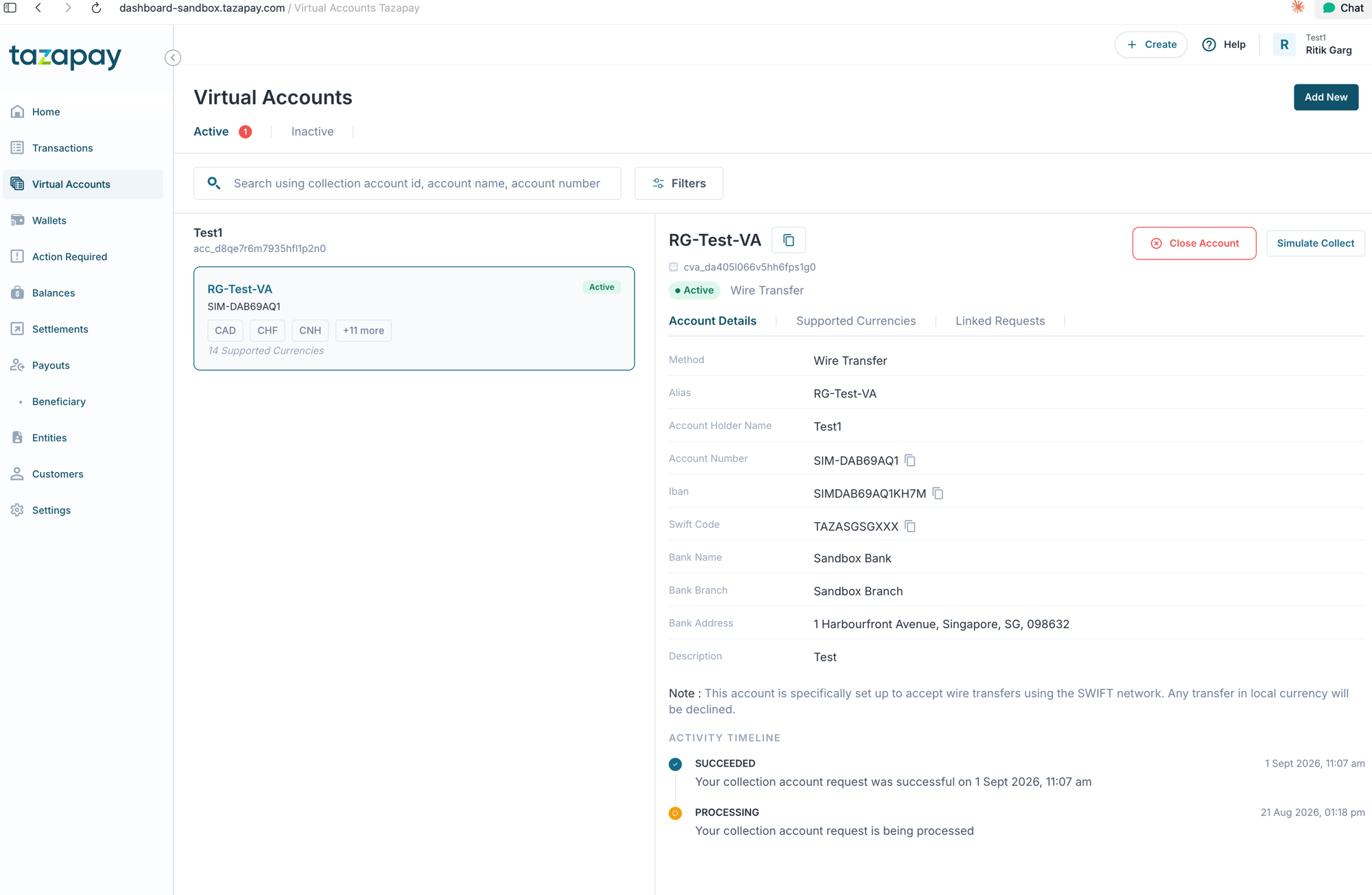
2
Click Simulate Collect
On the virtual account detail panel, click the Simulate Collect button in the top-right corner.
3
Set collect status and amount
In the modal that appears, set Collect status to 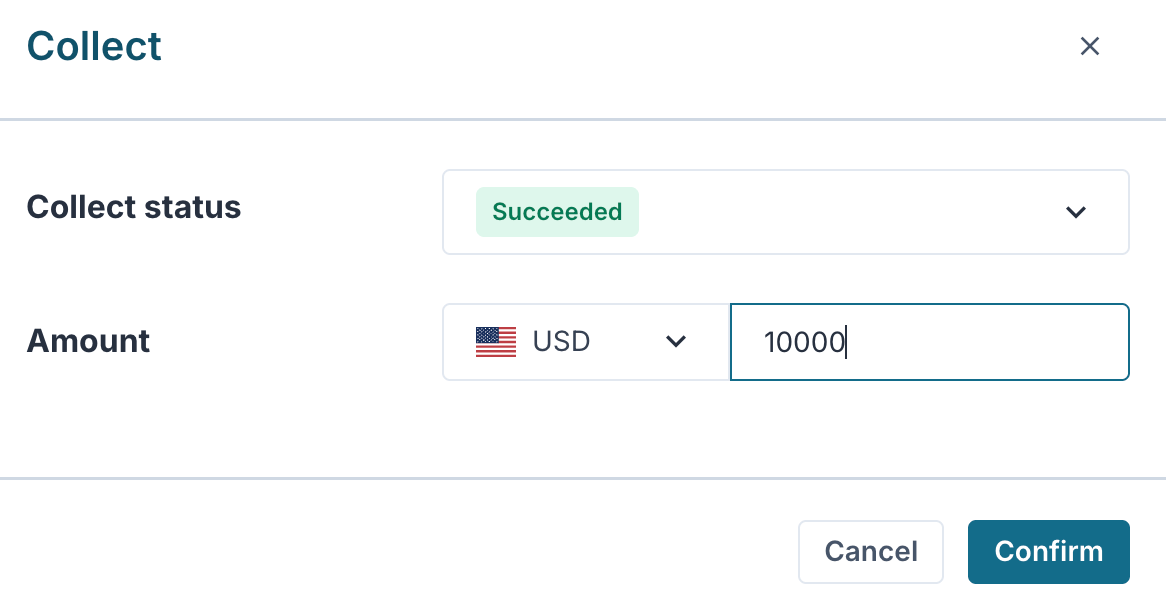
Succeeded and enter the Amount you want to credit to your balance. Click Confirm.Collect State Flows
You can simulate a collect into any of the following states depending on the scenario you want to test.- Fiat
- Crypto
For testing payouts, use the
succeeded state — this is the only flow that credits your balance and makes funds available for payout funding.