

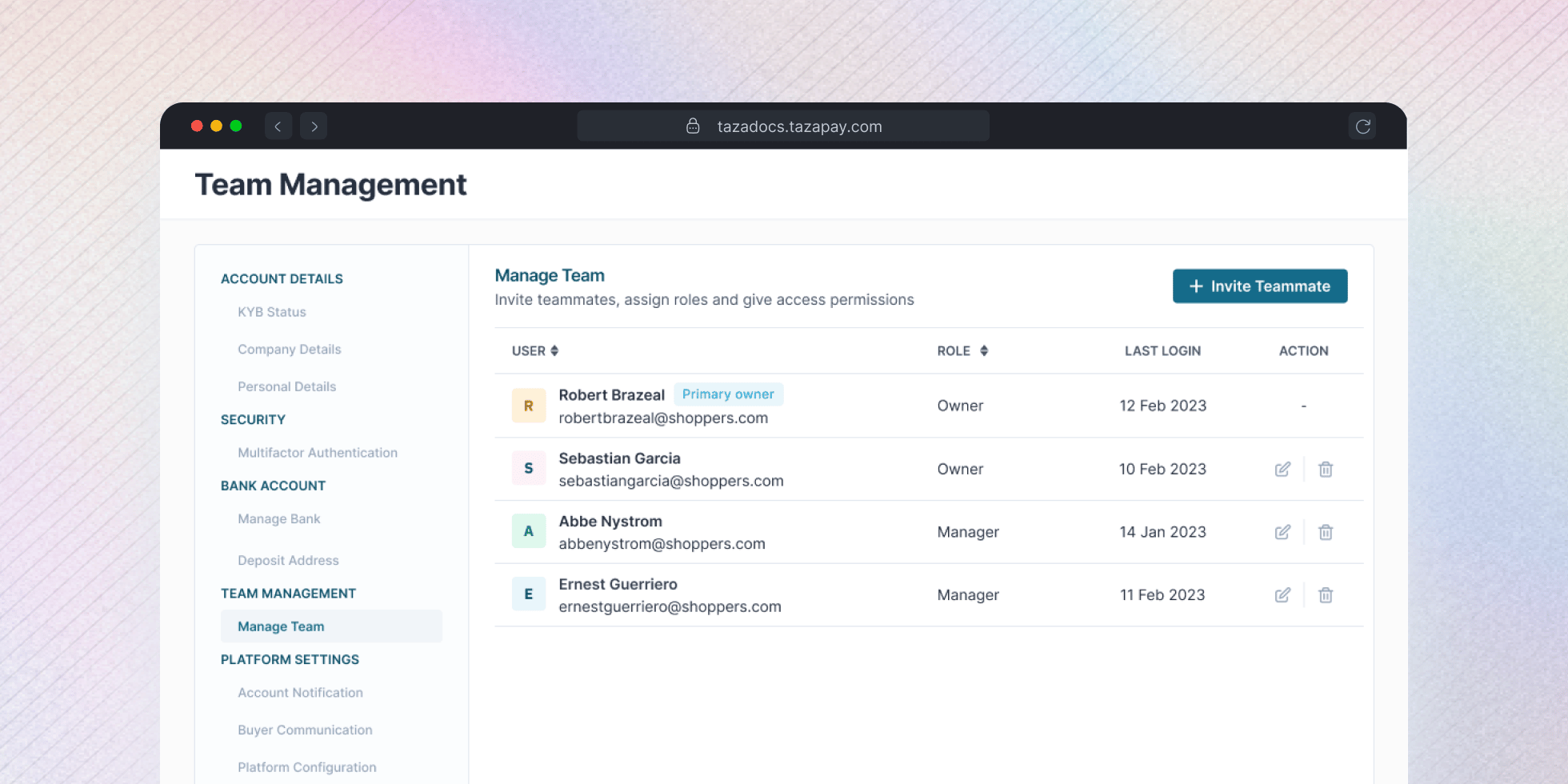
Roles and Permissions
Tazapay uses Role-Based Access Control (RBAC):- Owner: Full access, including settings, transactions, API keys, and team management.
- Manager: Permissions can be adjusted.
Inviting a Team Member
1
Click Invite Teammate and enter their email
From the Manage Team page, click + Invite Teammate and enter their email address.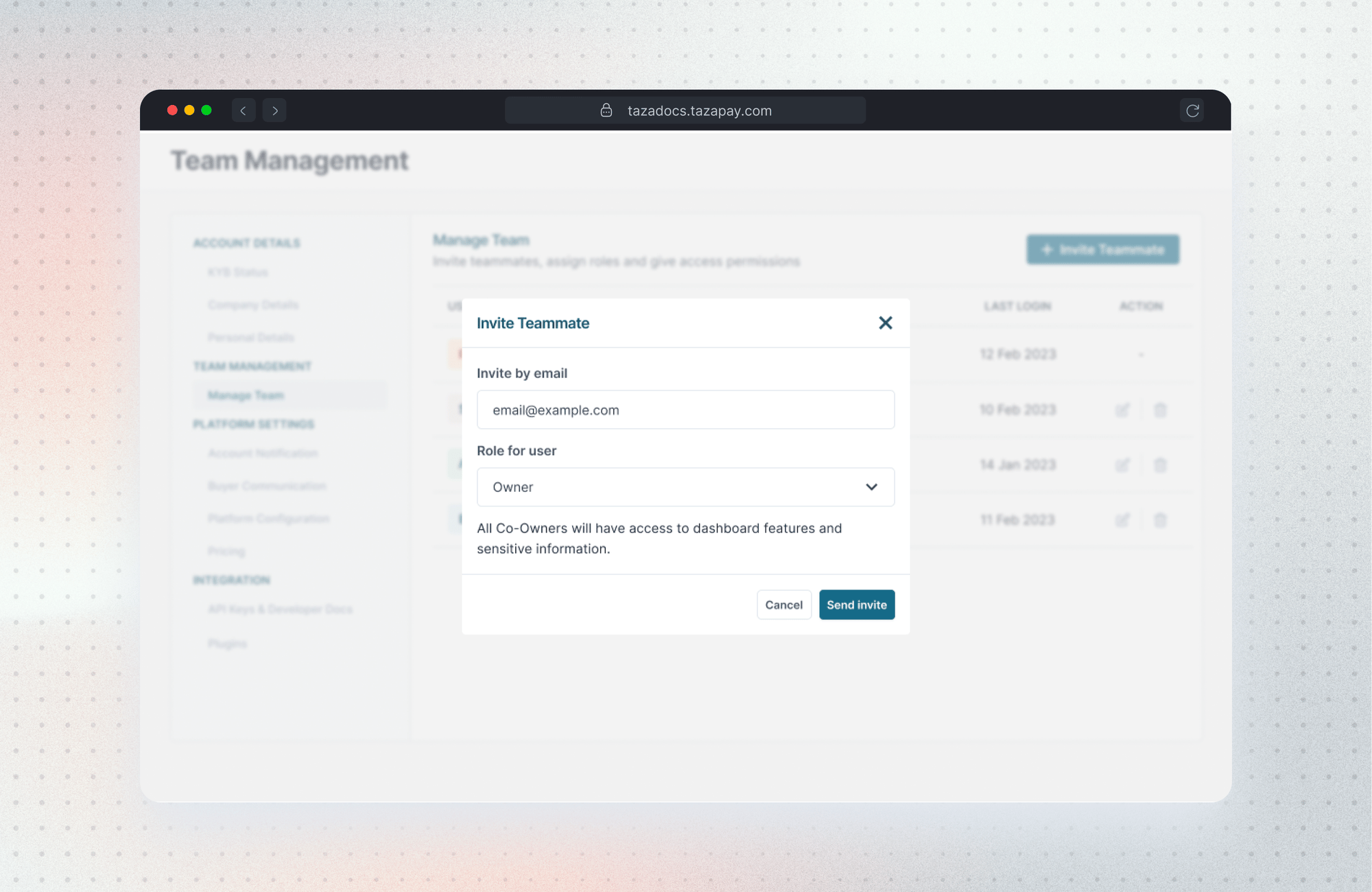
2
Select a role and adjust access if needed
Choose Owner or Manager. For Manager, you can fine-tune individual permissions across Transactions, Refunds, Payouts, VA & Wallets, and more.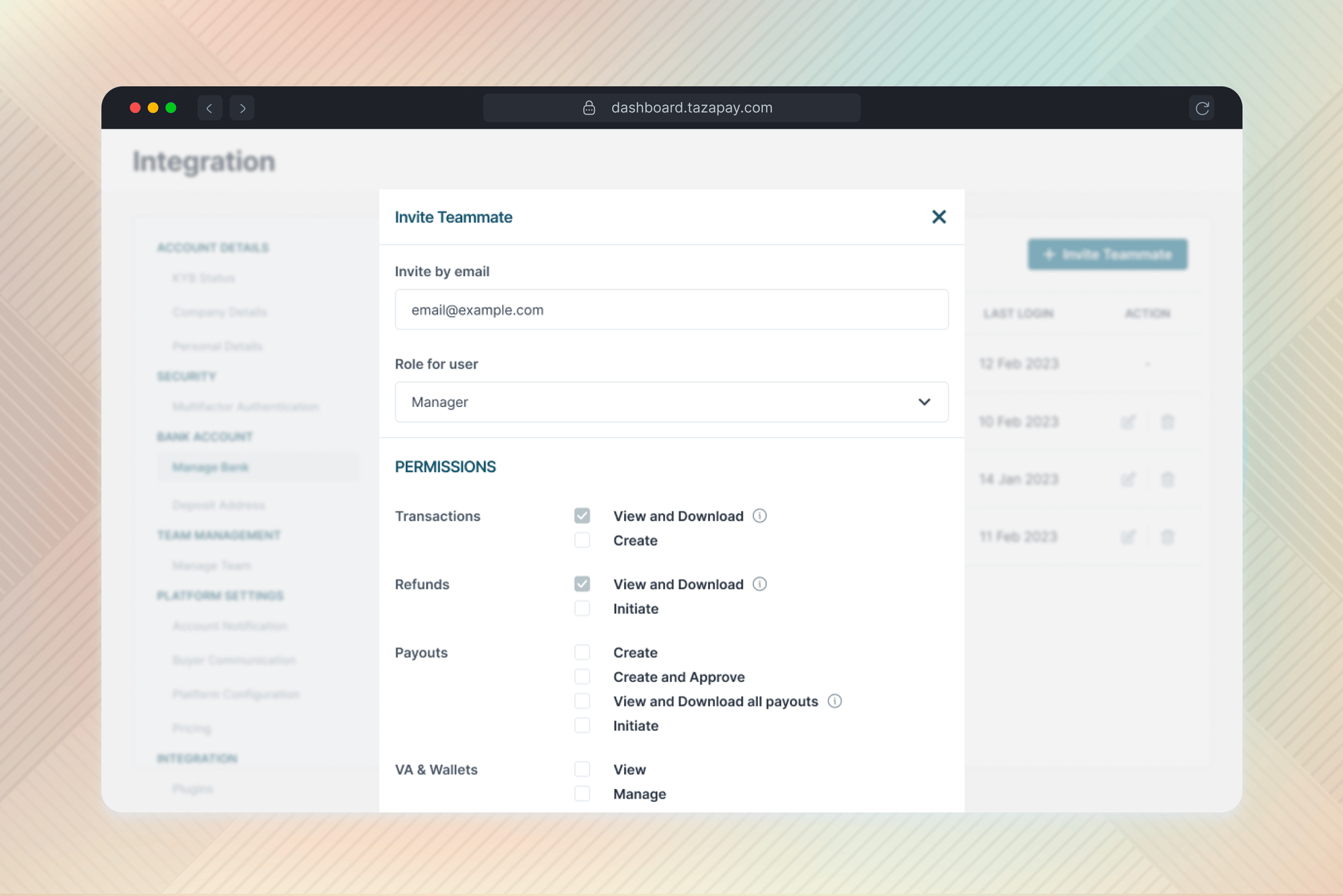
3
Send the invite
Click Send invite — they’ll receive an email to join. Pending invites show in the list until accepted, with the option to resend.