> ## Documentation Index
> Fetch the complete documentation index at: https://developer.tazapay.com/llms.txt
> Use this file to discover all available pages before exploring further.
# About
> What the RFI Centre is and how it works
**Coming soon.** The RFI Centre is under active development and is not yet available in the dashboard. This documentation is published ahead of launch.
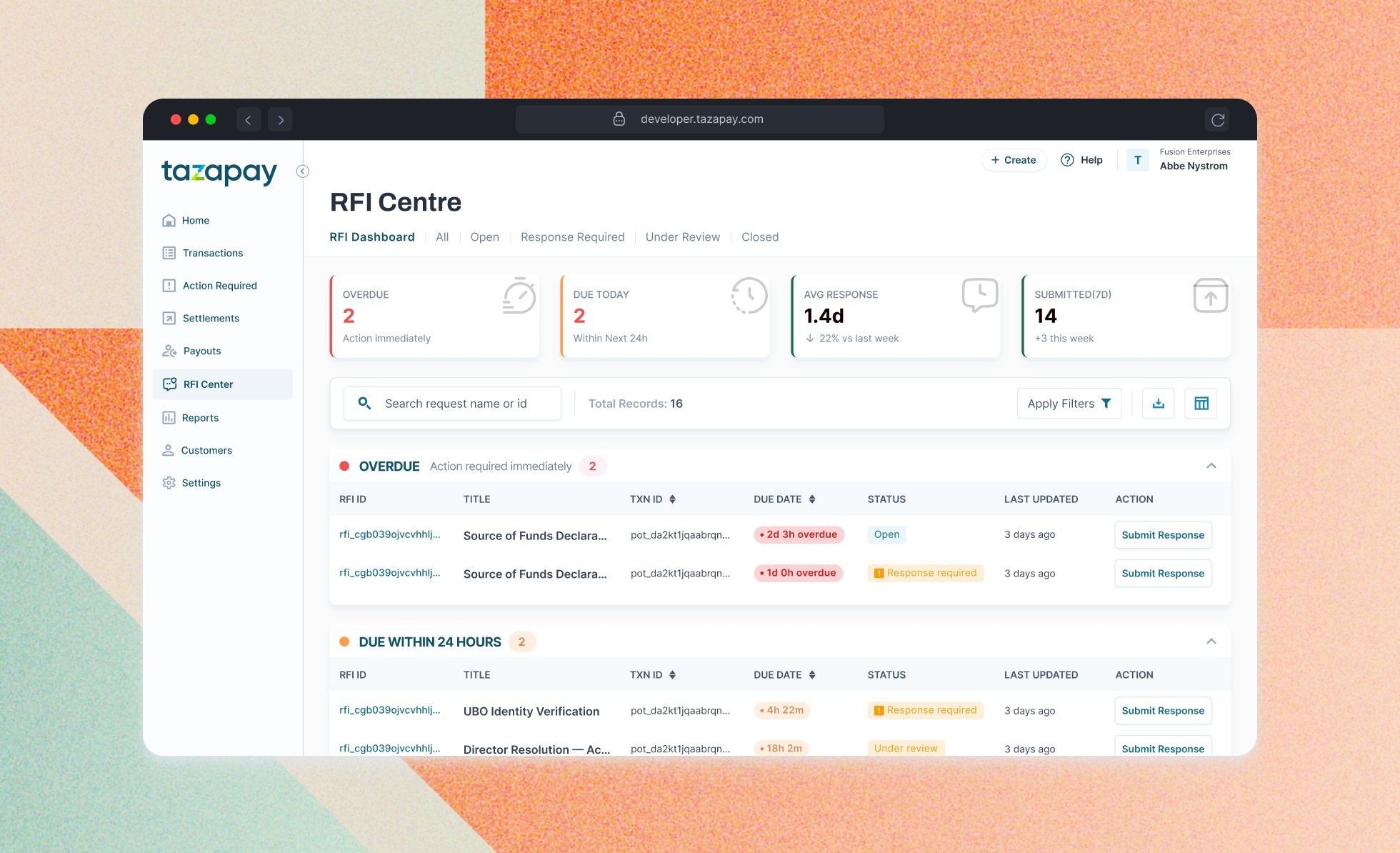 From time to time Tazapay needs additional information about activity on your account. We raise a **Request for Information (RFI)**.
The RFI Centre is where you see every RFI raised on your account, respond to it, and track its outcome.
The RFI Centre shows only RFIs raised after it launches. Older RFIs will not appear here.
## Why it matters
| Problem | How the RFI Centre helps |
| --------------------------------------------- | ----------------------------------------------------------------------------------------- |
| Requests scattered across email threads | Every RFI in one list, with its context attached |
| Sensitive documents sent as email attachments | Documents are uploaded straight into your account, behind your login and role permissions |
| No view of what is outstanding | Deadline countdown and status on every RFI |
| Unclear what was already sent | Full submission history per RFI, including uploaded documents |
## Where it fits
An RFI most often relates to one or more specific transactions, or to a counterparty across many transactions. It can also cover other activity on your account.
**RFI raised → You respond → Review → Closed or further information requested**
| Step | What happens |
| -------------- | ------------------------------------------------------------------- |
| 1. RFI raised | The RFI appears in the RFI Centre and an email notification is sent |
| 2. You respond | Upload the requested documents and add a note in the dashboard |
| 3. Review | Your submission is assessed against what was requested |
| 4. Outcome | The RFI is closed, or further information is requested |
There can be several exchanges between you and the Tazapay team before an RFI is closed. Each one appears in the RFI's submission thread.
## Responding in the dashboard
RFIs are responded to in the RFI Centre. You cannot reply to an RFI by email.
RFIs routinely ask for personal data — identification documents, dates of birth, addresses, beneficial ownership records. Uploading these in the dashboard is a more secure way to share them than sending them as email attachments. Files go directly into your Tazapay account, protected by your login, [multi-factor authentication](/getting-started/overview/multifactor-authentication), and role permissions, instead of sitting in inboxes and mail servers along the way.
## Notifications
You are notified by email when an RFI is raised, when the Tazapay team responds or requests further information, and when an RFI is closed. Responses are always submitted in the dashboard.
Admins can configure who receives these email notifications, turning them on or off for each user on your account.
Team members need access to the RFI Centre to view and respond to RFIs. See [Managing your team](/getting-started/overview/managing-your-team) to invite users and grant access.
RFIs are viewed and answered in the dashboard only. There is no RFI API and no RFI webhook events.
What each RFI status means and what to do next
Find, answer, and track RFIs in the dashboard
***
From time to time Tazapay needs additional information about activity on your account. We raise a **Request for Information (RFI)**.
The RFI Centre is where you see every RFI raised on your account, respond to it, and track its outcome.
The RFI Centre shows only RFIs raised after it launches. Older RFIs will not appear here.
## Why it matters
| Problem | How the RFI Centre helps |
| --------------------------------------------- | ----------------------------------------------------------------------------------------- |
| Requests scattered across email threads | Every RFI in one list, with its context attached |
| Sensitive documents sent as email attachments | Documents are uploaded straight into your account, behind your login and role permissions |
| No view of what is outstanding | Deadline countdown and status on every RFI |
| Unclear what was already sent | Full submission history per RFI, including uploaded documents |
## Where it fits
An RFI most often relates to one or more specific transactions, or to a counterparty across many transactions. It can also cover other activity on your account.
**RFI raised → You respond → Review → Closed or further information requested**
| Step | What happens |
| -------------- | ------------------------------------------------------------------- |
| 1. RFI raised | The RFI appears in the RFI Centre and an email notification is sent |
| 2. You respond | Upload the requested documents and add a note in the dashboard |
| 3. Review | Your submission is assessed against what was requested |
| 4. Outcome | The RFI is closed, or further information is requested |
There can be several exchanges between you and the Tazapay team before an RFI is closed. Each one appears in the RFI's submission thread.
## Responding in the dashboard
RFIs are responded to in the RFI Centre. You cannot reply to an RFI by email.
RFIs routinely ask for personal data — identification documents, dates of birth, addresses, beneficial ownership records. Uploading these in the dashboard is a more secure way to share them than sending them as email attachments. Files go directly into your Tazapay account, protected by your login, [multi-factor authentication](/getting-started/overview/multifactor-authentication), and role permissions, instead of sitting in inboxes and mail servers along the way.
## Notifications
You are notified by email when an RFI is raised, when the Tazapay team responds or requests further information, and when an RFI is closed. Responses are always submitted in the dashboard.
Admins can configure who receives these email notifications, turning them on or off for each user on your account.
Team members need access to the RFI Centre to view and respond to RFIs. See [Managing your team](/getting-started/overview/managing-your-team) to invite users and grant access.
RFIs are viewed and answered in the dashboard only. There is no RFI API and no RFI webhook events.
What each RFI status means and what to do next
Find, answer, and track RFIs in the dashboard
***