> ## Documentation Index
> Fetch the complete documentation index at: https://developer.tazapay.com/llms.txt
> Use this file to discover all available pages before exploring further.
# Managing your Team
> Managing team access helps maintain secure collaboration by giving each role the right level of permissions.
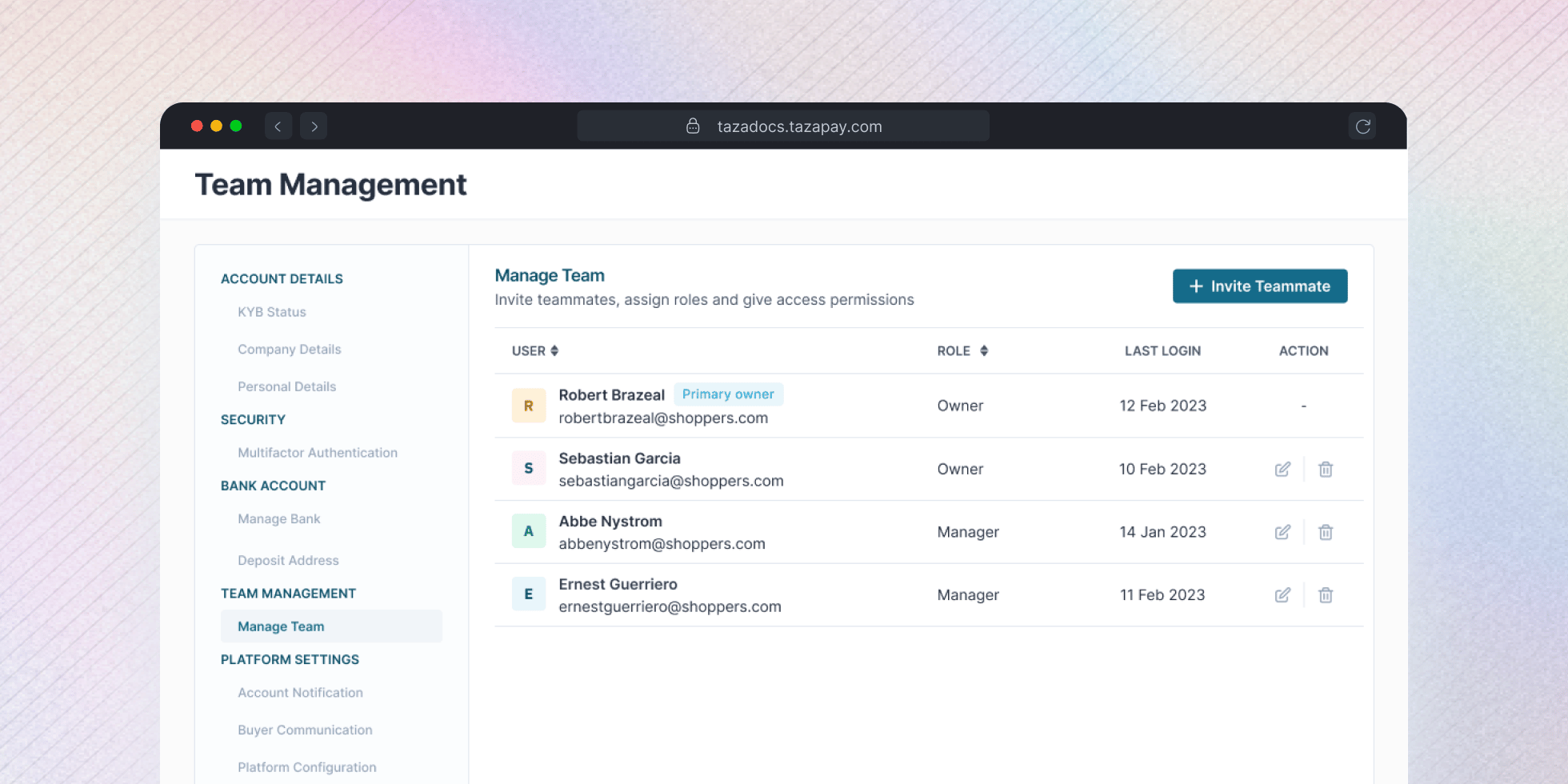
To manage your team, go to **Settings** in your Tazapay Dashboard and navigate to **Team Management → Manage Team**.
 ## Roles and Permissions
Tazapay uses Role-Based Access Control (RBAC):
* **Owner**: Full access, including settings, transactions, API keys, and team management.
* **Manager**: Permissions can be adjusted.
## Inviting a Team Member
From the Manage Team page, click **+ Invite Teammate** and enter their email address.
## Roles and Permissions
Tazapay uses Role-Based Access Control (RBAC):
* **Owner**: Full access, including settings, transactions, API keys, and team management.
* **Manager**: Permissions can be adjusted.
## Inviting a Team Member
From the Manage Team page, click **+ Invite Teammate** and enter their email address.
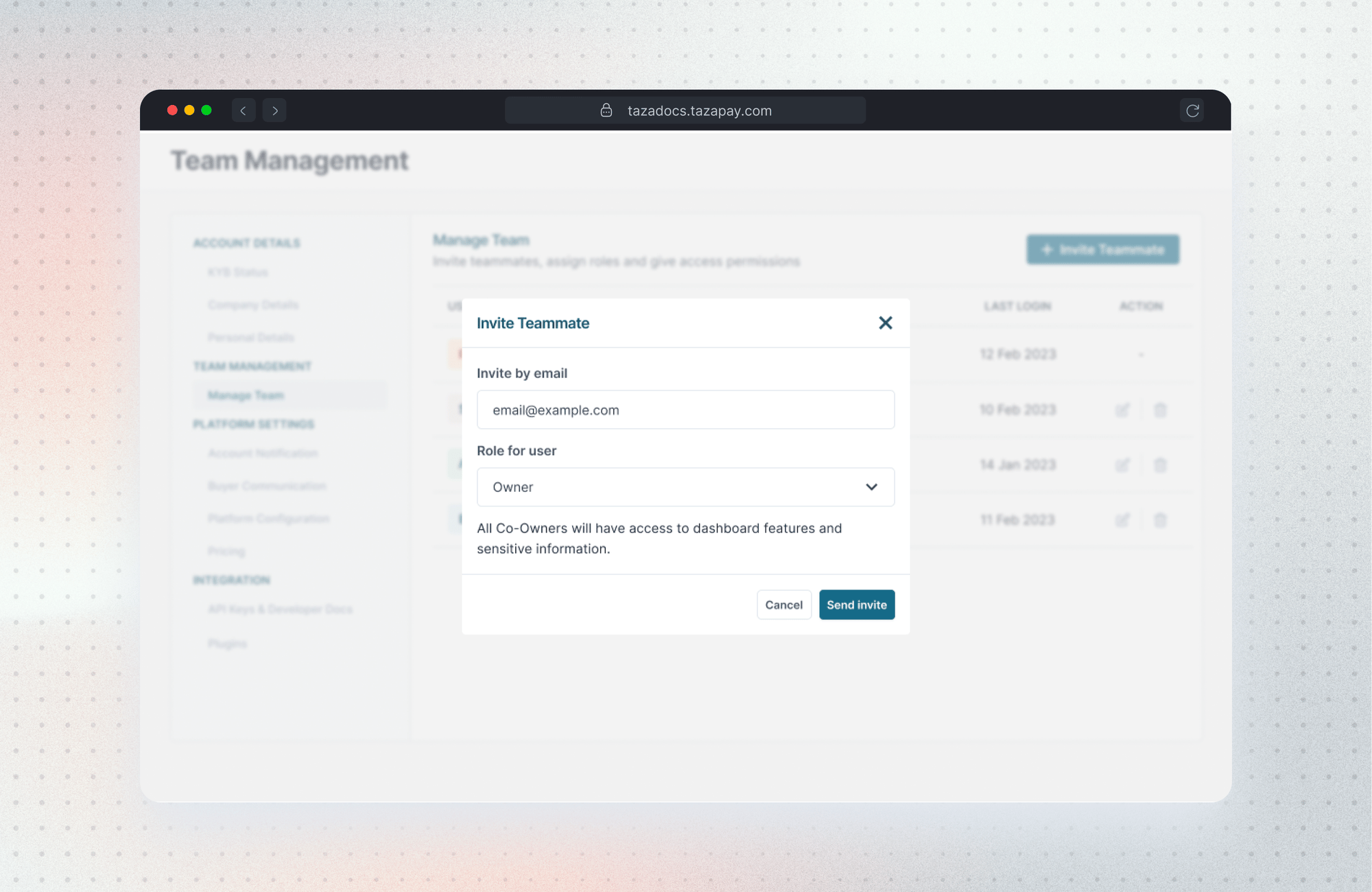 Choose **Owner** or **Manager**. For Manager, you can fine-tune individual permissions across Transactions, Refunds, Payouts, VA & Wallets, and more.
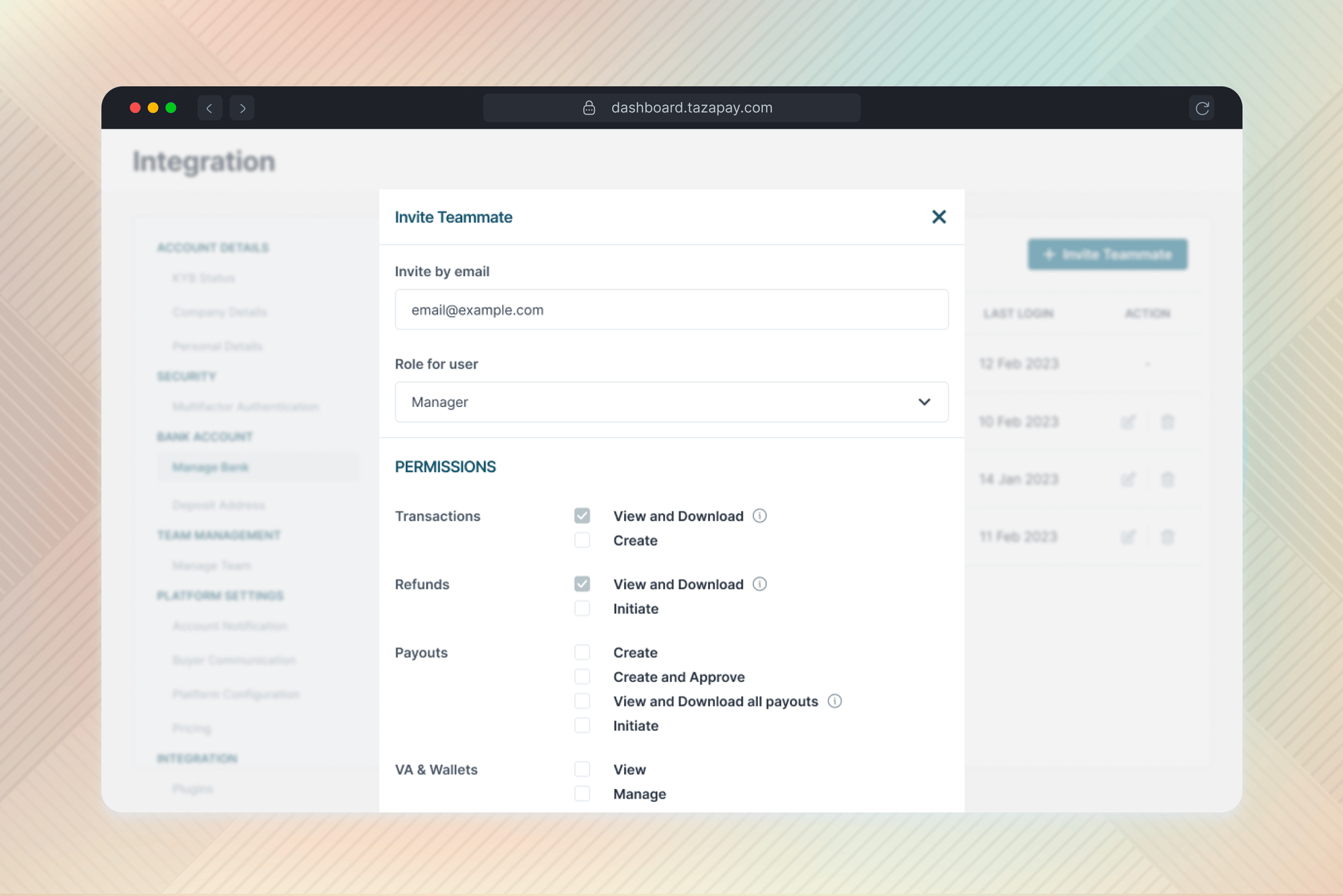 Click **Send invite** — they'll receive an email to join. Pending invites show in the list until accepted, with the option to resend.